Collect Sample Requests Directly From Your WordPress Site
A free plugin with a sample library, drag-and-drop form builder, and submissions dashboard — all stored locally in WordPress. No account required.
Built for Managing Sample Requests End to End
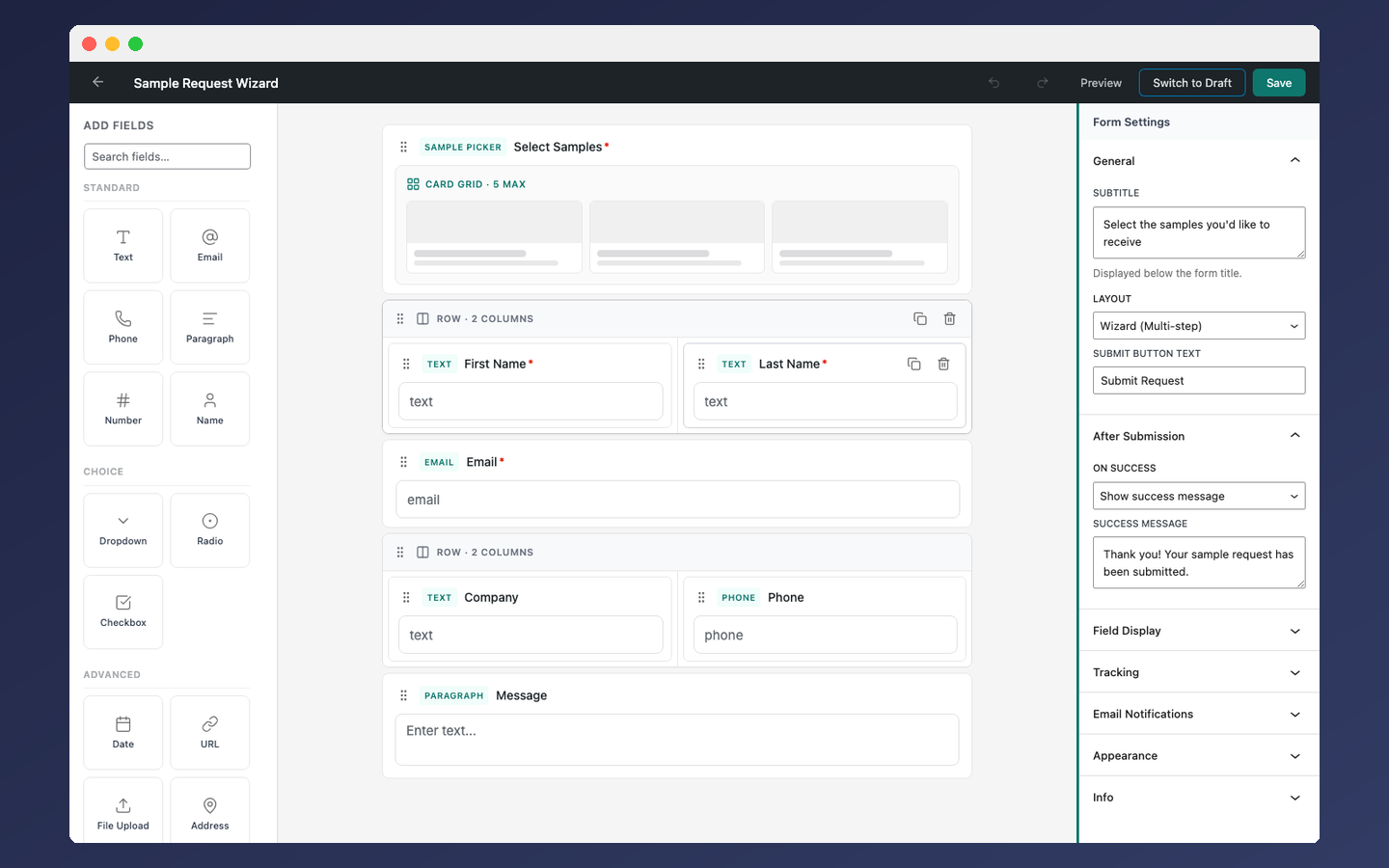
Visual Form Builder
Drag-and-drop builder with 17 field types, multi-column layouts, and a sample picker field.
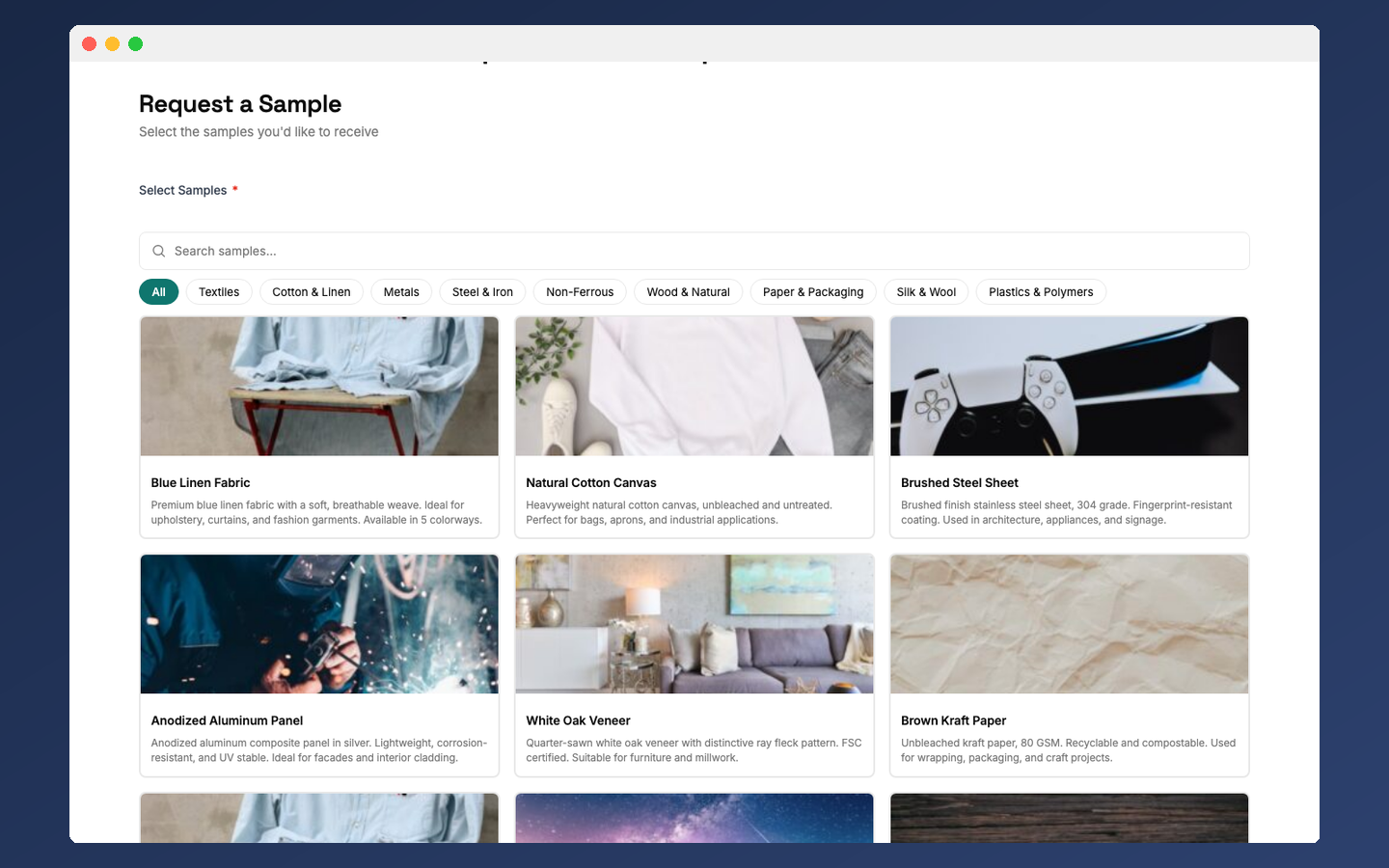
Frontend Sample Picker
Visitors browse products with images, category tabs, and search. Card grid, checklist, or list view.
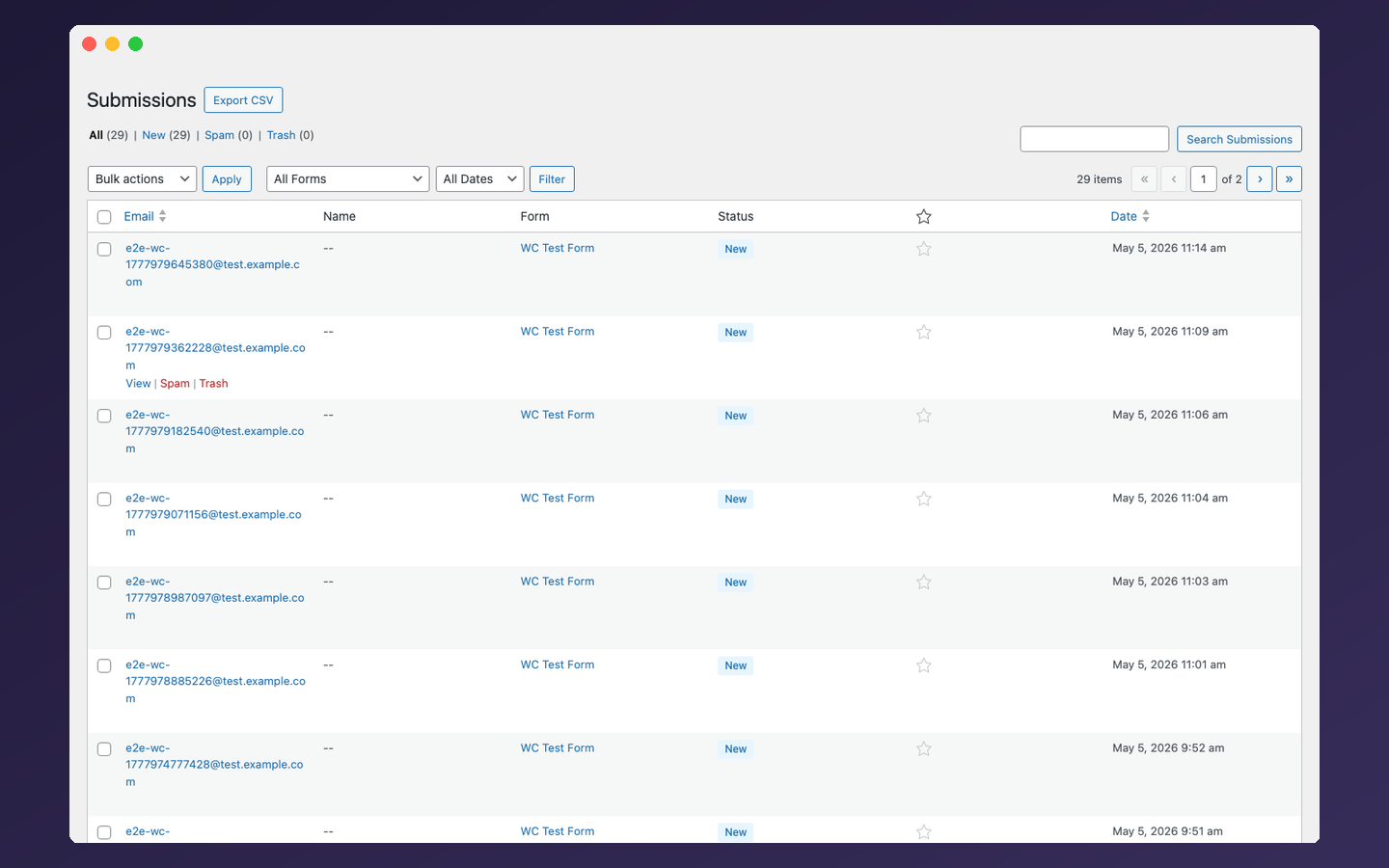
Submissions Dashboard
View, search, filter, star, and export submissions as CSV. Email notifications for admins and submitters.
From Install to Collecting Requests in Minutes
Install & Add Samples
Upload the free plugin and activate it. Add products to your sample library with names, SKUs, images, and categories — or bulk import from CSV.
Build a Request Form
Use the drag-and-drop builder with 17 field types. Add a sample picker that pulls from your library. Choose wizard, grid, or checklist layout.
Embed and Start Collecting
Drop the form on any page with the Gutenberg block, Elementor widget, or shortcode. Submissions appear in the dashboard with email notifications.
Everything You Need to Manage Sample Requests
Sample Library
Manage products with categories, images, SKUs, descriptions, and custom fields. Bulk import via CSV.
Visual Form Builder
Drag-and-drop builder with 17 field types, multi-column layouts, conditional logic, and multi-step wizard mode.
Sample Picker Field
Visitors browse and select samples with quantities. Card grid, checklist, or list view with search and category filtering.
Submissions Dashboard
View, search, filter, star, and export submissions as CSV. Email notifications for admins and submitters.
WooCommerce Integration
Use WooCommerce products in the sample picker. Adds a "Request a Sample" button to product pages.
Spam Protection
Honeypot, rate limiting, CSRF tokens active by default. Optional Cloudflare Turnstile for an extra layer.
Build Forms That Match Your Catalog
The drag-and-drop builder gives you complete control over form layout and fields. Add a sample picker that connects directly to your product library.
Let Visitors Choose Exactly What They Need
The sample picker field reads from your library and renders as an interactive product browser. Visitors search, filter by category, select samples, and set quantities.
Three Ways to Add Forms to Your Site
Gutenberg Block
Search "SampleHQ Form" in the block inserter, pick a form, and get a server-side preview in the editor.
Elementor Widget
The SampleHQ Form widget appears automatically when Elementor is active. Select your form from the dropdown.
Shortcode
Paste [samplehq_form id="123"] in any page builder, widget, or template. CSS and JS load only where needed.
Built With Privacy and WordPress Standards in Mind
Connect to SampleHQ for More
The plugin works fully standalone. Optionally connect to the SampleHQ platform to extend your workflow with fulfillment tracking, CRM integrations, and team collaboration.
Submission Sync
Automatically sync new submissions to your SampleHQ workspace for fulfillment tracking and team workflows.
Data Migration
Migrate your existing sample library, categories, and submission history to SampleHQ in one click.
CRM & Shipping
Once connected, sample data flows into Salesforce, HubSpot, and Shippo through the SampleHQ platform.
Learn moreCommon Questions
Do I need a SampleHQ account?
No. The plugin is fully standalone. All features work without any external account. Connecting to SampleHQ is optional and can be configured in Settings > Connection.
Is the plugin free?
Yes. All features are free with no time limits, submission caps, or locked features.
Does it work with WooCommerce?
Yes. When WooCommerce 8.0+ is active, a settings tab appears. Enable it to use WooCommerce products in the sample picker and add a “Request a Sample” button to product pages.
What field types are available?
Text, Email, Phone, Paragraph, Number, Date, URL, Dropdown, Radio, Checkbox, Name, Address, File Upload, Hidden, HTML Content, Consent/GDPR, and the Sample Picker field. 17 types total.
How does spam protection work?
Three layers are always active: a honeypot field, IP-based rate limiting (default 10 per form per hour), and CSRF token validation. You can optionally enable Cloudflare Turnstile for an additional layer.
Is it GDPR compliant?
The plugin integrates with the WordPress Privacy API for data export and erasure. It includes a consent field type, toggleable IP collection, and configurable IP retention with automatic purging.
Can I use it with Elementor?
Yes. The SampleHQ Form widget appears automatically when Elementor is active. You can also use the Gutenberg block or shortcode.
What happens to my data if I connect to SampleHQ later?
Nothing changes locally. The connection adds optional sync — new submissions are sent to your SampleHQ workspace. You can also migrate existing data. Disconnecting stops the sync but your local data is never affected.
Start Collecting Sample Requests Today
Today
Download the free WordPress plugin and go from zero to collecting structured sample requests in minutes. No account required, no limits, no locked features.