Viewing All Orders
Updated Apr 4, 2026
Orders
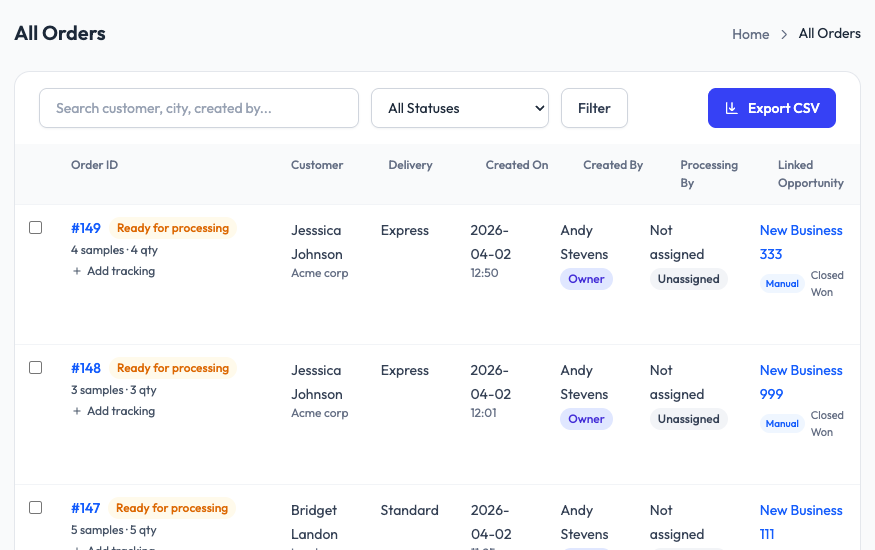
The All Orders page is your central view for every sample order in your workspace. What you see depends on your role.
What each role sees
- Owners and managers see all orders across the entire team.
- Sales reps see only the orders they created.
- Fulfillment sees all orders that need processing or have been processed.
Filtering and searching
- Status filter: Use the dropdown to filter by status (Ready for Processing, Shipped, Delivered, etc.).
- Search: Search by customer name, city, or the name of the person who created the order.
- Filter button: Additional filters for more specific searches.
Order columns
The table shows Order ID, Customer, Delivery method, Created On date, Created By, Processing By, and Linked Opportunity (if CRM is connected).
Exporting
Click the Export CSV button to download the current filtered view as a CSV file.