Using the AI Chat
Updated Apr 4, 2026
AI Assistant
The AI chat interface works like a conversation. Type your question or request, and the AI responds with information or takes action.
Starting a conversation
Go to HQ AI Assistant in the sidebar. Type your message in the input field and press Enter. The AI processes your request and responds. Responses stream in real time.
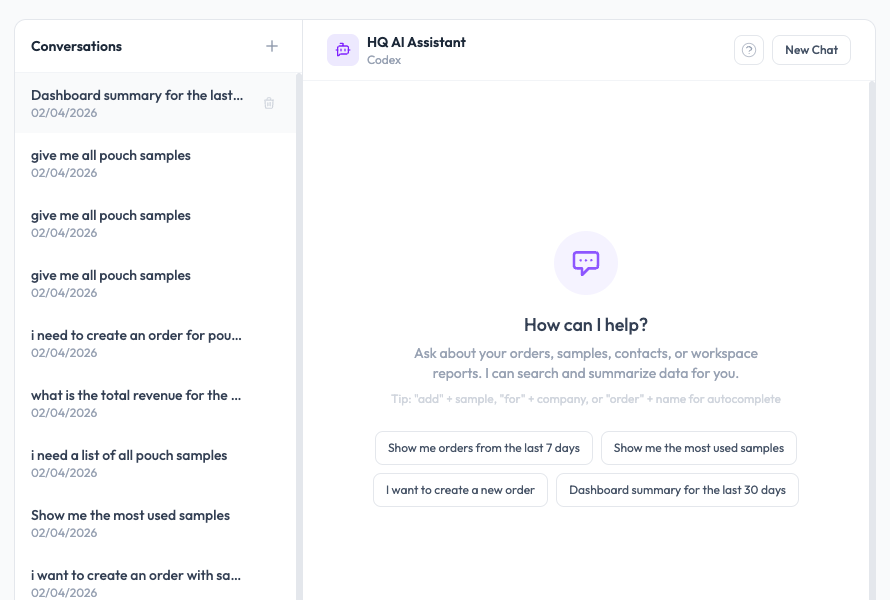
Conversation history
Your conversation history is saved. When you return to the AI Assistant page, your previous conversations are available so you can pick up where you left off or reference earlier responses.
Example questions
- “Show me all orders from last week”
- “Look up the deal for Acme Corp”
- “Draft a follow-up email for order #142”
- “How many orders did we ship this month?”
- “What is the status of the shipment for Jessica Johnson?”
Context awareness
The AI understands your workspace context. It knows your samples, orders, team members, and CRM data (if connected). You can ask questions naturally without specifying technical details.