Fulfillment Dashboard
Updated Apr 4, 2026
Dashboard and Analytics
The fulfillment dashboard is built for operations. It shows your workload, overdue items, and processing throughput.
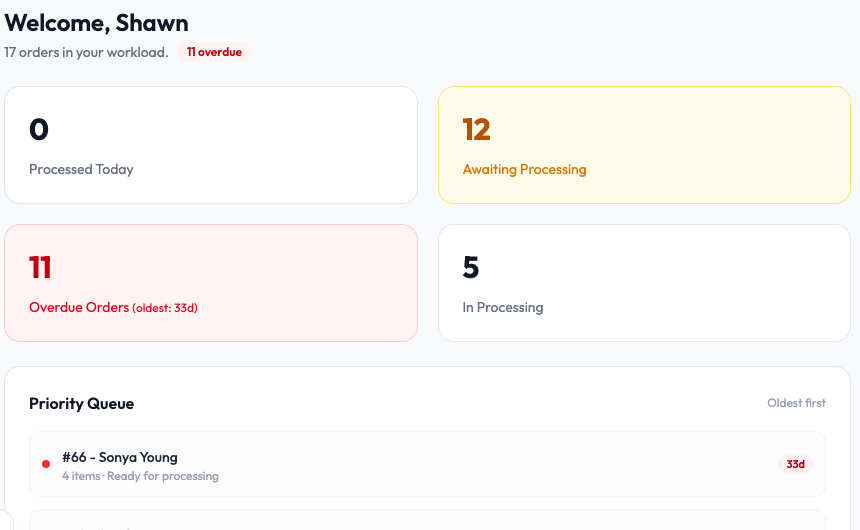
KPI cards
- Processed Today: How many orders you have completed today.
- Awaiting Processing: Orders in the queue waiting to be picked up (highlighted in yellow if the count is high).
- Overdue Orders: Orders that have been waiting longer than expected (highlighted in red, showing the age of the oldest).
- In Processing: Orders currently being worked on.
Priority Queue
Below the cards, a list of orders sorted oldest first. Each entry shows the order number, customer name, item count, status, and how long it has been waiting. Start with the oldest to keep your queue healthy.
Throughput Trend
A chart showing your processing volume over time (14, 30, or 90 days). Use this to spot trends in fulfillment capacity.