Manage Sample Activity in One Connected System
SampleHQ helps packaging and labeling teams manage sample requests, track order progress, update shipment visibility, and keep sales and fulfillment aligned from request through delivery.
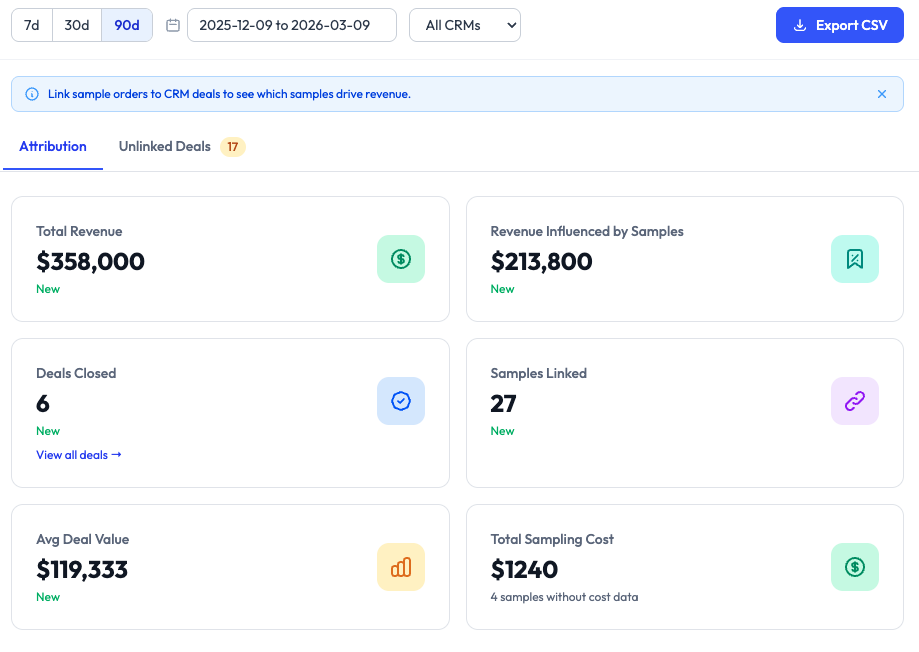
Sample Management at the Center of the SampleHQ Platform
Sample management is the operational foundation of SampleHQ. It gives teams one place to manage requests, orders, and shipment visibility, while connected platform capabilities such as CRM integrations and revenue attribution extend that visibility even further. These capabilities work together in one platform and one system of record.
CRM Integrations
Connect sample activity to Salesforce or HubSpot so your team can view sample orders in a broader commercial context alongside the accounts, contacts, opportunities, and deals that shape pipeline and revenue.
One Place to Manage the Full Sample Workflow
Sample programs often break down across inboxes, spreadsheets, disconnected shipping updates, and scattered product records. SampleHQ brings sample requests, order progress, shipment visibility, and team coordination into one connected platform and one system of record for sample activity.
Centralize sample requests
Capture and manage incoming sample orders in one system instead of across email and manual follow-up.
Track every order clearly
See where each order stands, from request through processing, shipment, and delivery, in real time.
Keep teams aligned
Give sales and fulfillment shared visibility without relying on scattered updates that live everywhere.
From Request to Delivery in One Workflow
Without one connected system, sample activity is fragmented across email, spreadsheets, carrier links, CRM records, and internal follow-up. That makes it harder for leadership to evaluate performance, spot inefficiencies, and understand whether sampling is helping create real commercial outcomes.
Receive sample request
Capture sample requests in one organized system with the details your team needs to act.
Review samples
Use a centralized sample library to find the right products, materials, and sample options.
Process the order
Move each request through a clear workflow so teams know what is pending, active, or complete.
Update shipment tracking
Add carrier and tracking details manually or manage shipments through connected workflows.
Keep visibility shared
Give sales and fulfillment one view of order progress and delivery status without extra back-and-forth.
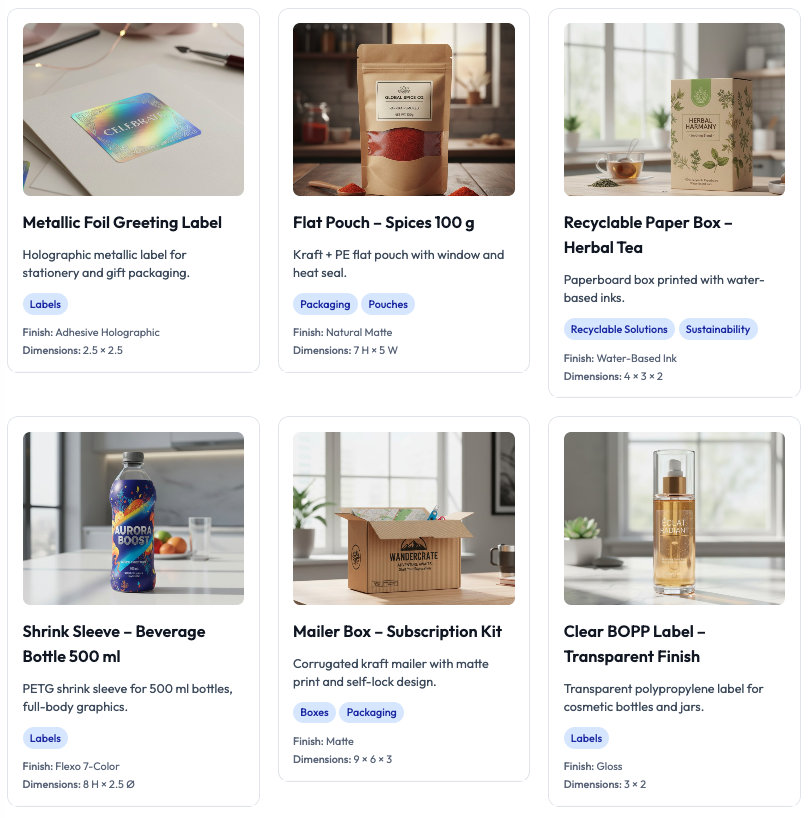
Organize the Samples Your Team Actually Sends
Keep your sample catalog accessible and easier to manage with one centralized library. SampleHQ helps teams organize sample records, surface the right items faster, and support more consistent request handling.
See Where Every Sample Order Stands
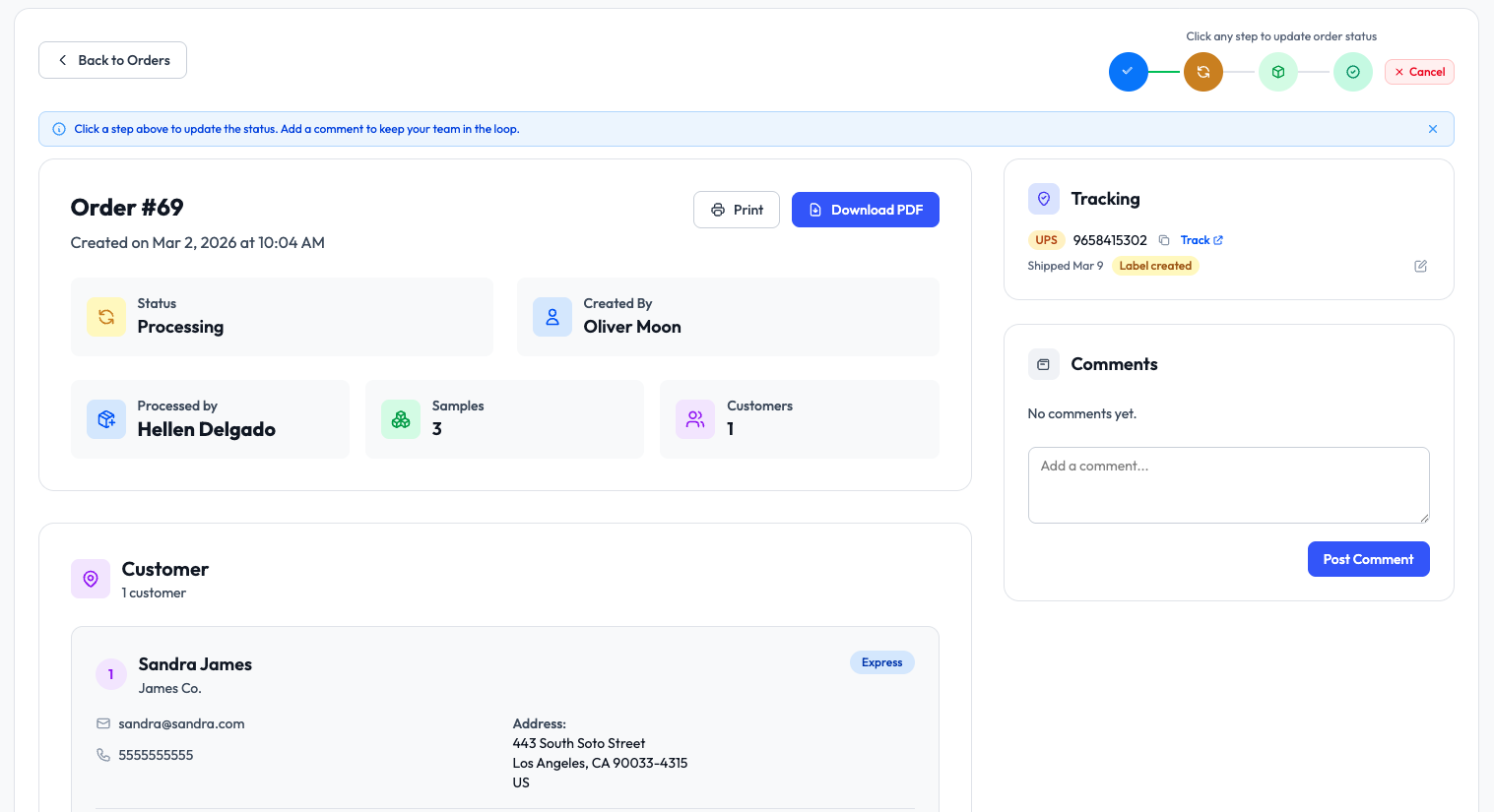
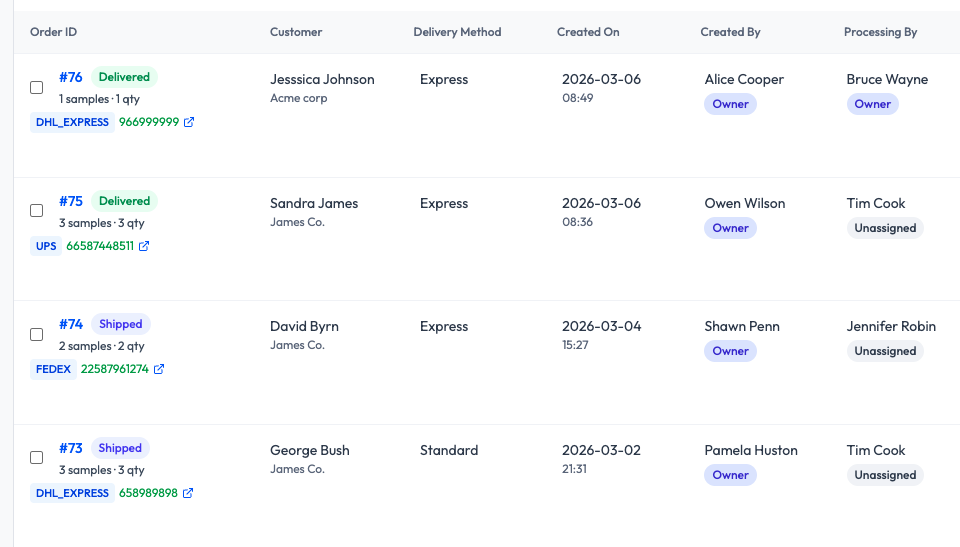
SampleHQ gives teams a clearer view of order progress so they can track what has been requested, what is being processed, what has shipped, and what has been delivered.
Keep Shipment Updates Connected to the Order
Once tracking is added, teams can see shipment progress in the context of the sample order instead of chasing carrier links or internal messages. That means better visibility after fulfillment and fewer status questions across teams.
What Teams Improve With SampleHQ
SampleHQ helps teams stay aligned by giving both sales and fulfillment visibility into the same sample activity. Sales can see order progress and delivery status. Fulfillment can work from an organized queue without repeating updates across systems.
Less workflow fragmentation
Replace inboxes, spreadsheets, and disconnected updates with one system.
Clearer order visibility
Track sample requests, shipments, and delivery progress across different teams.
Better team alignment
Enter cost per sample and let the platform automate spend calculations in the background.
More consistent sample handling
Bring sample activity closer to the commercial data already managed in Salesforce or HubSpot.
See a Better Way to Manage Sample Activity
Start a 14-day FREE trial or book a demo to see how SampleHQ helps packaging teams manage sample requests, order progress, shipment visibility, and cross-team workflows in one connected system.