Connect Sample Activity to Salesforce and HubSpot
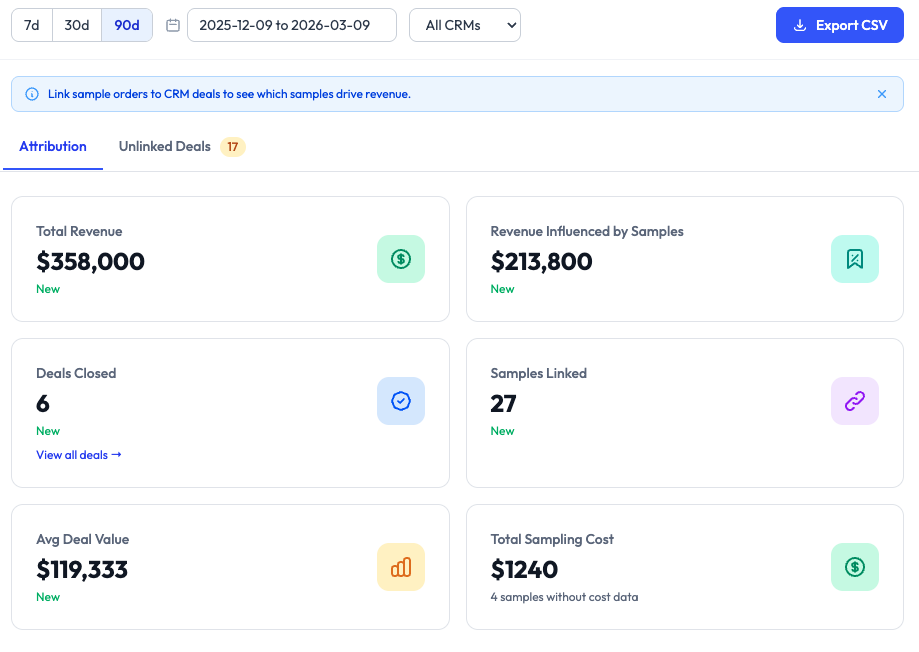
SampleHQ connects with Salesforce and HubSpot so teams can work with sample orders in broader CRM context. Look up contacts, validate and update addresses, surface sample orders inside CRM workflows, and connect sample activity to opportunities, deals, and the CRM context required for revenue attribution.
Built for teams using Salesforce or HubSpot. Using a different CRM? Talk to us about your setup.
CRM Integrations as Part of the SampleHQ Platform
CRM integrations extend the core SampleHQ workflow by connecting sample activity to the customer and revenue data your team already manages in Salesforce or HubSpot. Together with Sample Management and Revenue Attribution, they form one connected platform, one product, and one system of record for sample activity.
Sample Activity Is More Valuable in CRM Context
Without a CRM connection, sample orders often sit outside the customer record, making it harder to see who received what, which opportunity or deal the samples supported, and how that activity connects to pipeline or revenue. SampleHQ helps bridge that gap by connecting sample workflows to the contacts, companies, accounts, opportunities, and deals your team already uses every day.
Look up the right contact
Users can look up contacts from both Salesforce and HubSpot directly inside SampleHQ, making it easier to tie sample orders to the right recipient and company.
Keep address data cleaner
SampleHQ validates shipping addresses and allows users to update their contact’s address from SampleHQ back into the CRM, helping keep records more accurate across systems.
Connect samples to commercial records
Connected CRM workflows make it easier to work with sample orders alongside the companies, contacts, opportunities, and deals that shape commercial activity.
A More Connected Workflow for HubSpot Teams
For teams using HubSpot, SampleHQ brings sample activity closer to the records sales teams already work in, making sample order history easier to view and enabling attribution workflows that depend on CRM-linked sample activity.
Salesforce Enterprise
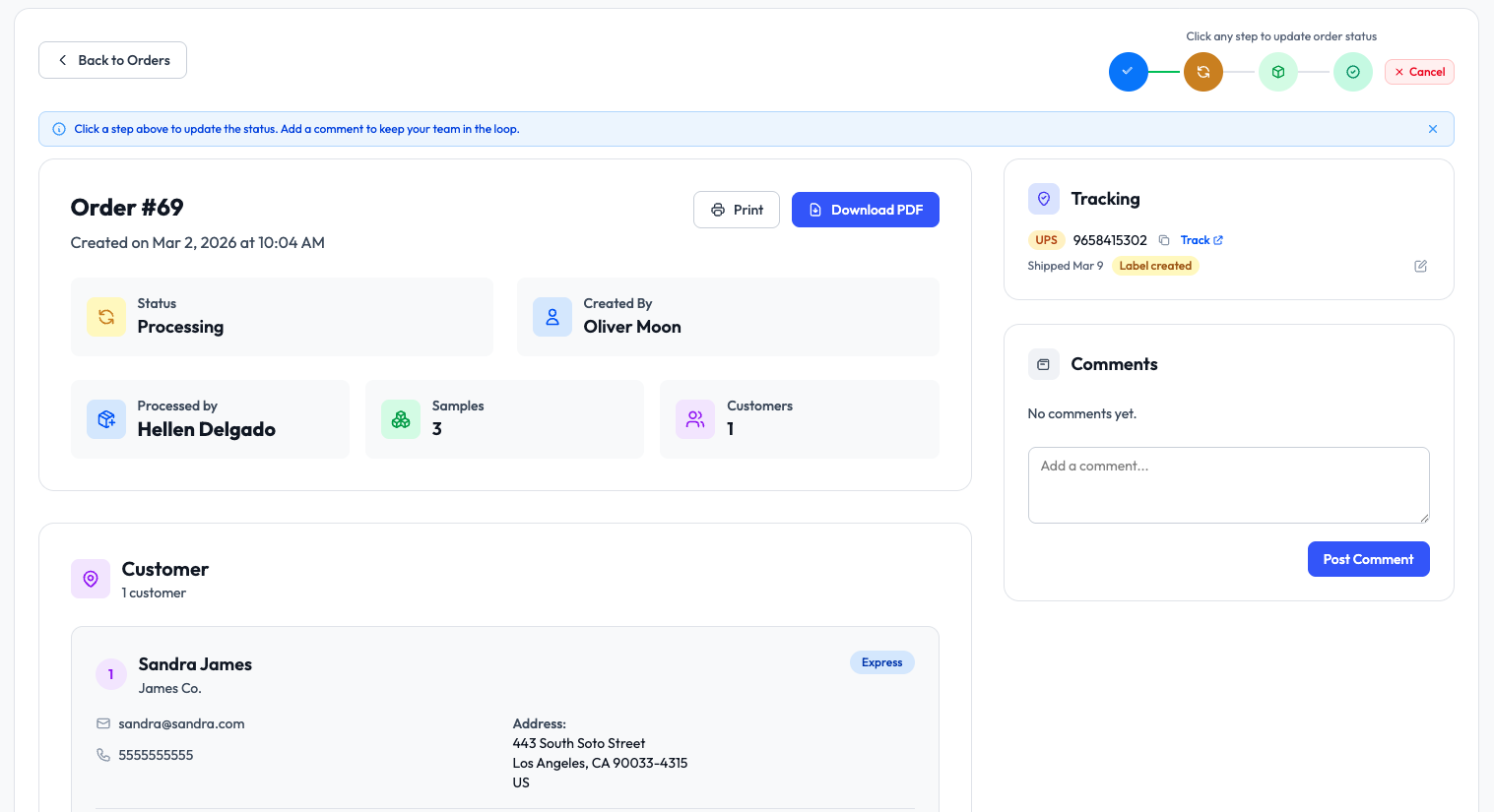
Includes a Sample Orders custom object inside Salesforce, where users can view sample orders and delivery status in CRM context and link the relevant opportunity to each order directly within Salesforce.
Lower Salesforce editions
Connection remains supported, with opportunity linking handled through SampleHQ as native in-Salesforce linking is not available for lower editions.
Salesforce Workflows Based on Edition Capabilities
SampleHQ connects with Salesforce across editions, but the in-CRM workflow depends on the Salesforce version. This gives teams a practical way to keep sample activity connected to Salesforce while working within real platform limitations.
What Teams Improve With CRM Integrations
Cleaner customer context
Sample activity is tied more closely to the people, companies, and commercial records.
Less duplicate admin work
Teams spend less time re-entering contact and address data across systems.
Better CRM visibility
Sales teams can see sample activity closer to deals, opportunities, and customer records.
Stronger attribution readiness
Connected CRM workflows provide the required foundation for downstream revenue attribution.
See How SampleHQ Works With Salesforce and HubSpot
Start a 14-day FREE trial or book a demo to see how SampleHQ helps your team look up CRM contacts, validate and update addresses, surface sample orders in CRM context, and connect sample activity to deals, opportunities, and revenue attribution workflows that depend on CRM-linked sample data.