See How Samples Influence Revenue
SampleHQ helps packaging teams connect sample orders to CRM opportunities and deals so they can measure how sample activity supports pipeline and influences won revenue.
Built for teams using Salesforce or HubSpot. Using a different CRM? Talk to us about your setup.
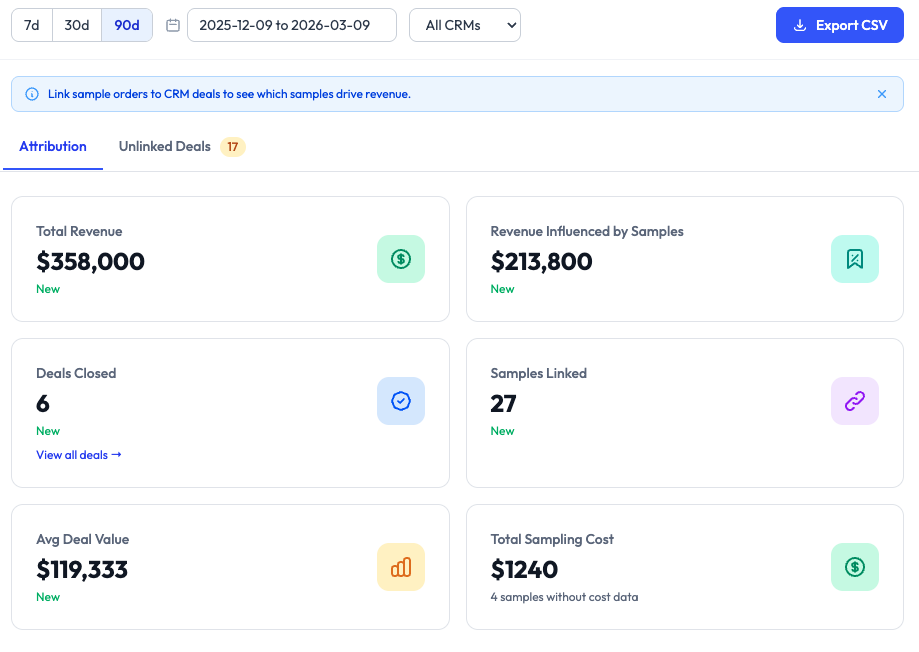
Revenue Attribution as Part of the SampleHQ Platform
Revenue Attribution builds on the core SampleHQ workflow by connecting sample activity to the deals and opportunities your team manages in CRM. Together with Sample Management and CRM Integrations, it gives your business one connected platform for tracking sample activity, supporting sales workflows, and understanding commercial impact more clearly.
Most Teams Track Shipments.
Few Can Measure Commercial Influence.
Packaging companies often know what was requested, packed, and shipped. But when leadership asks whether samples are helping move business forward, the answers are usually incomplete. SampleHQ helps close that gap.
By linking sample orders to CRM opportunities and deals, teams can report on where samples supported sales activity and how they influenced commercial outcomes.
This is not about claiming that a sample single-handedly created a deal. It is about giving teams better visibility into the role sampling plays across the revenue process.
What Revenue Attribution Means in SampleHQ
In SampleHQ, revenue attribution is a way to understand how sample activity contributed to the pipeline and closed business.
When a sample order is linked to a CRM deal or opportunity, your team can see which samples were involved, how much revenue was associated with that deal, and how credit was assigned across the samples in the order.
This gives you a more realistic view of influence than simply counting shipments or assuming every sample deserves equal credit.
Deal-linked Sample Visibility
See which sample orders were connected to specific opportunities or deals.
Influence-based reporting
Measure how samples supported revenue without implying full ownership of the outcome.
Flexible credit assignment
Distribute credit across samples within a linked order to reflect real-world sales complexity.
Track Commercial Impact Across Samples, Deals, Customers, and Reps
SampleHQ gives teams multiple ways to understand how sampling supports revenue.
Attributed revenue
See the amount of won revenue associated with linked sample activity based on the credit assigned to samples within each deal.
Sample influence by product
Identify which samples appear most often in linked deals and which ones are associated with the most credited revenue.
Deal visibility
Review which closed deals had linked sample orders and which did not.
Customer attribution
Understand which accounts received samples and were later associated with won business.
Rep-level influence
See which sales reps are linked to influenced revenue and which samples appear most often in their won business.
Team reporting
Compare personal attribution views with broader team-level visibility to understand performance across the organization.
From Sample Order to Revenue Influence
SampleHQ gives your team a clear view of every sample — what’s available, what’s requested, and what’s on its way. Track each stage from request to delivery, stay informed across departments, and never lose sight of what’s in stock or in transit.
Connect your CRM
Look up cusotmers and sync customer, account, opportunity, and deal data from Salesforce or HubSpot.
Send and track sample orders
Manage requests, fulfillment, and shipment activity inside SampleHQ.
Link sample orders to deals
Associate the relevant sample order with the opportunity or deal it supported.
Assign sample credit
Allocate revenue credit across the samples in the linked order to reflect how they contributed.
Report on influenced revenue
See the resulting view across dashboards, samples, deals, customers, and reps.
Reporting Views Designed for Different Questions
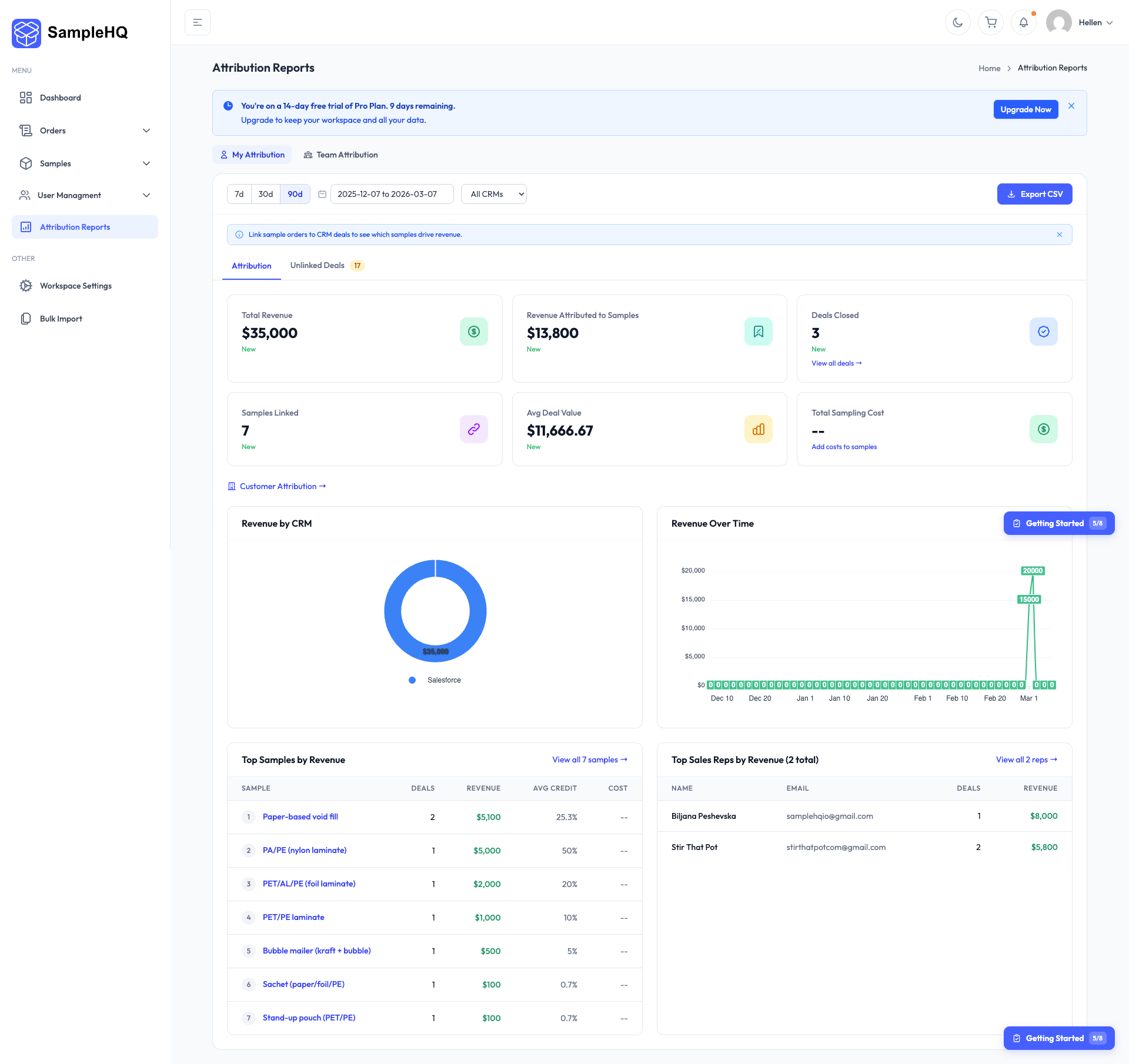
Attribution Dashboard
Get a high-level view of total revenue, sample-influenced revenue, linked samples, closed deals, and trend reporting.
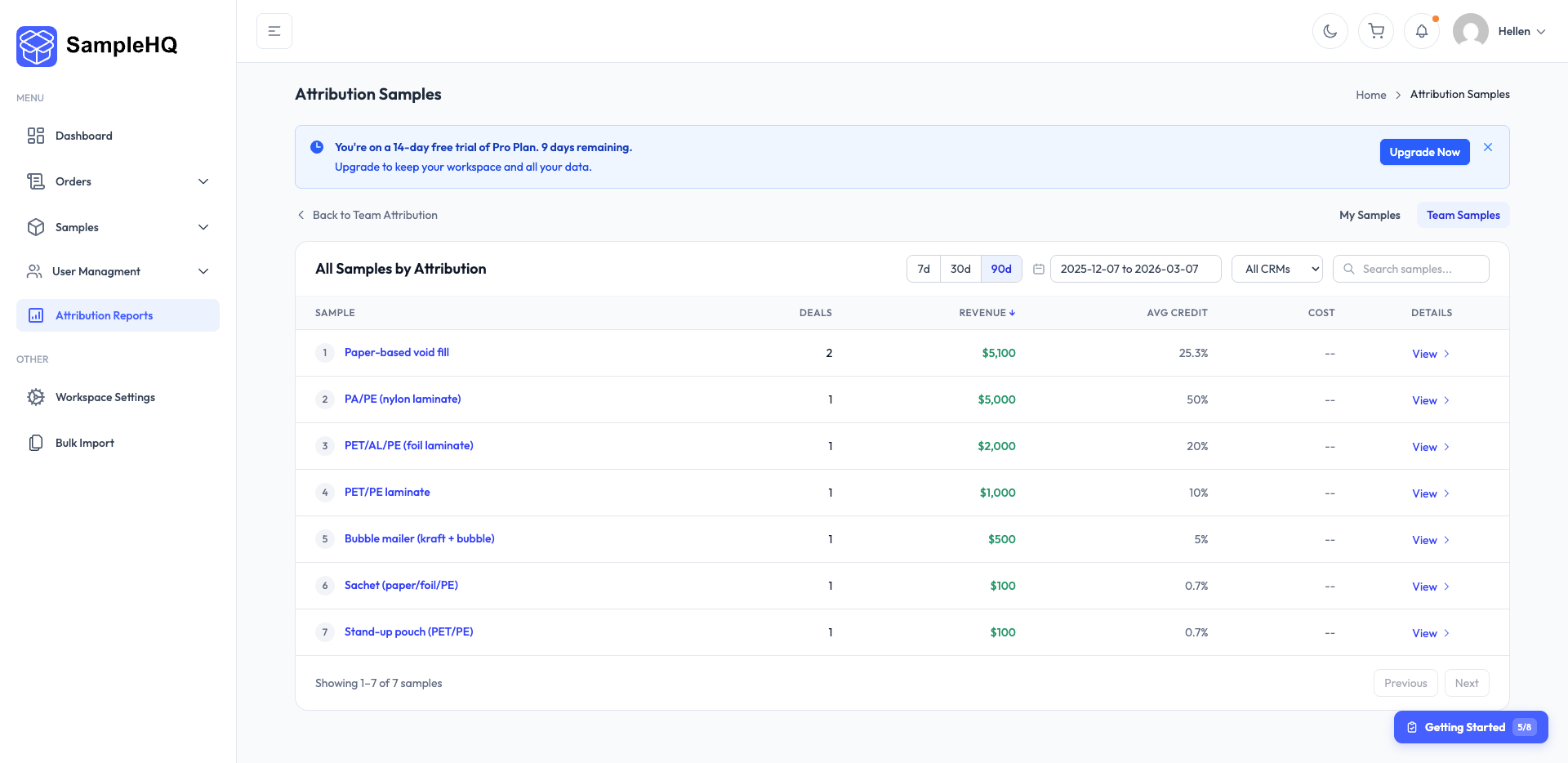
Sample-level attribution
See which individual samples are associated with revenue, average credited share, linked deals, and related orders.
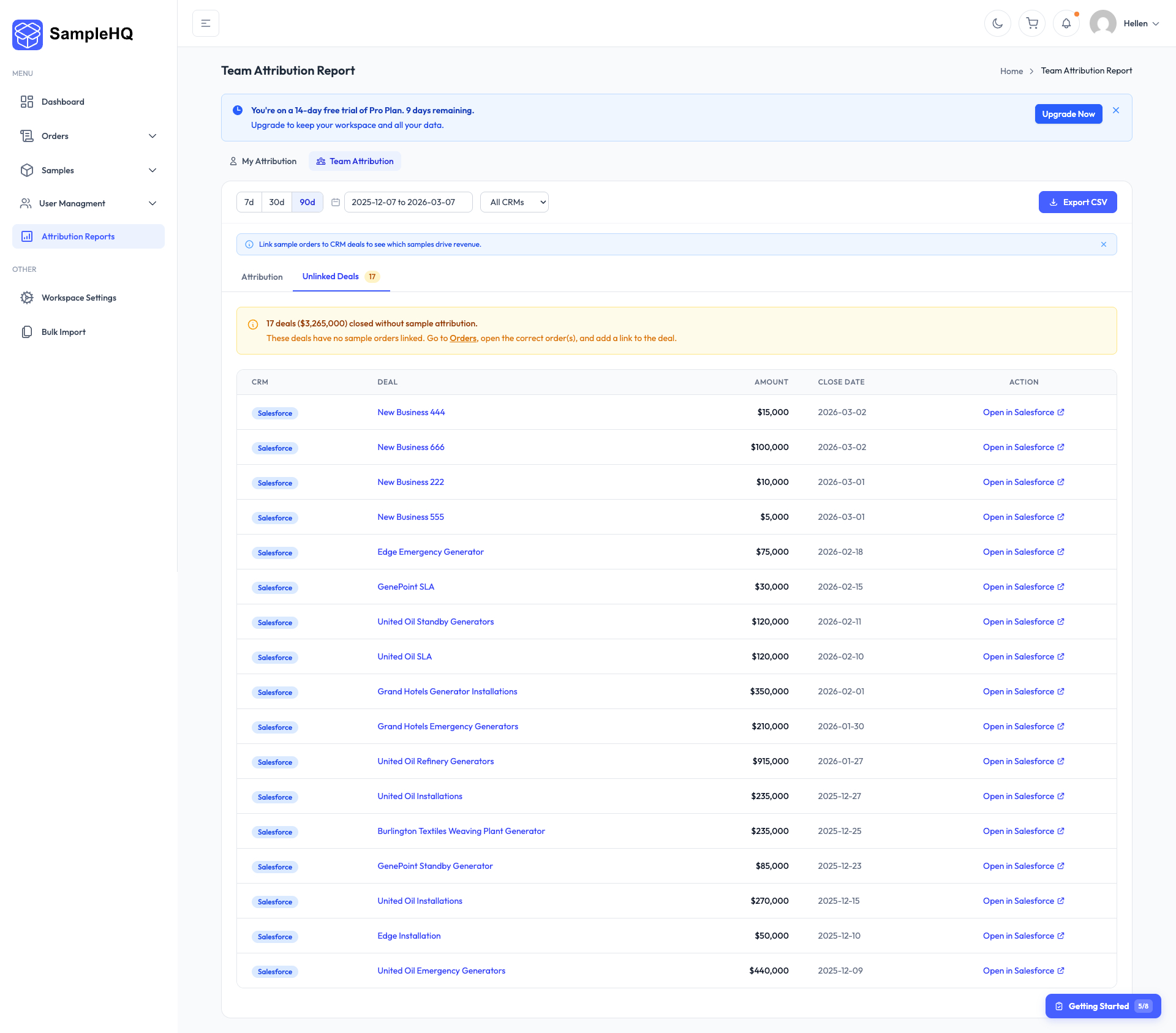
Deal-level Visibility
Review which deals were linked to sample orders and which samples were involved.
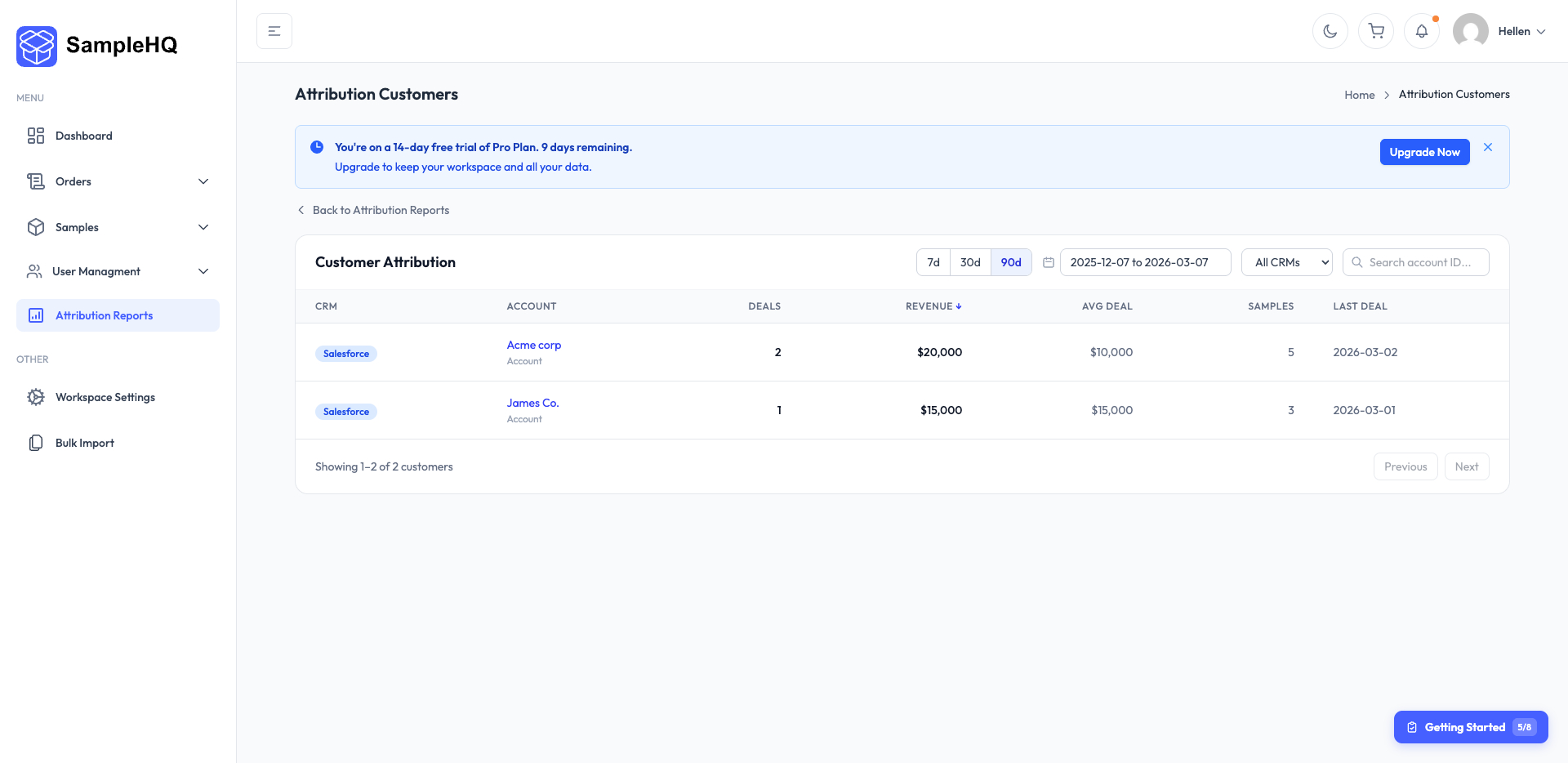
Account Attribution
See which accounts are associated with influenced revenue and how many samples supported those relationships.
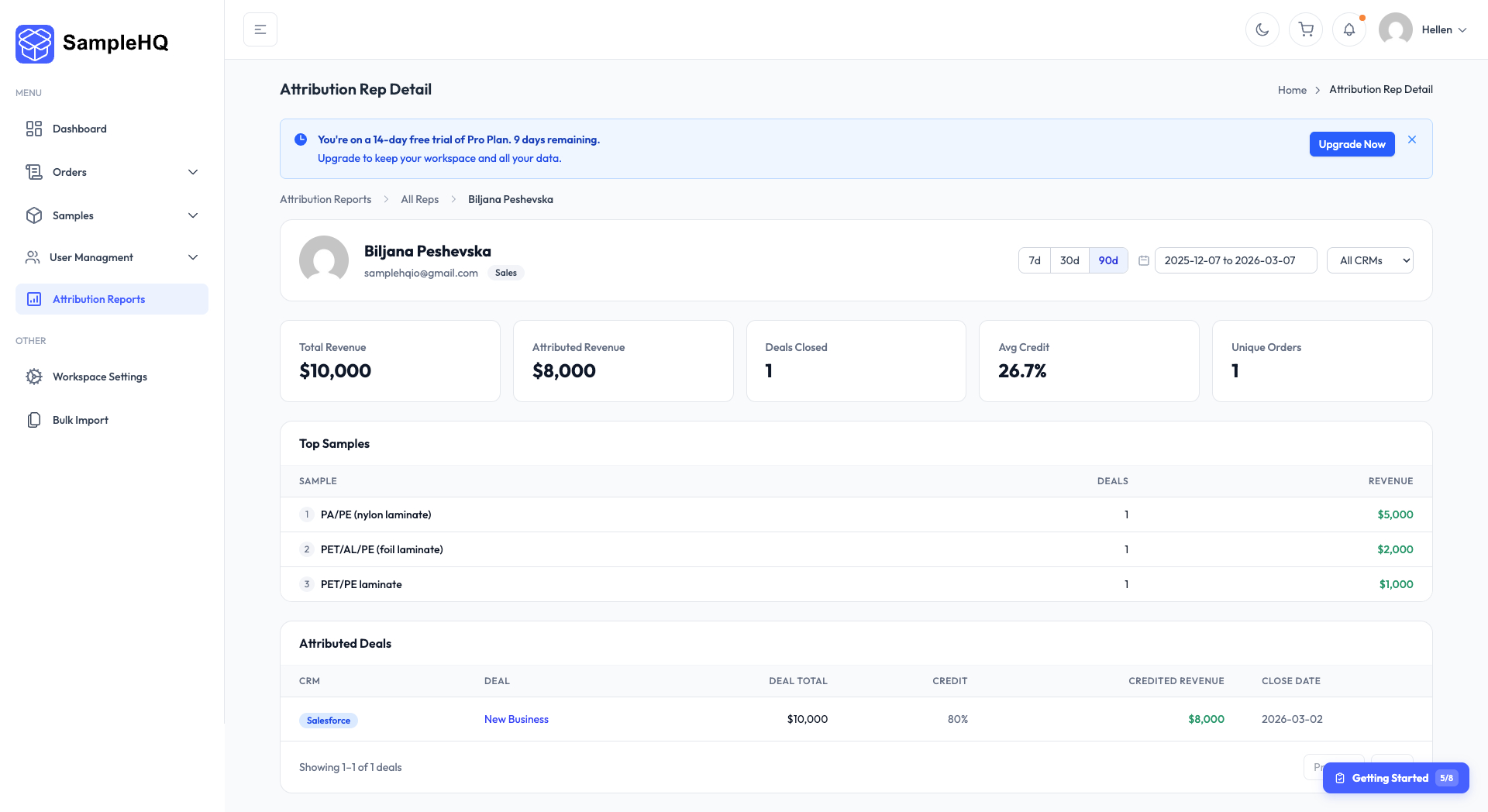
Sales Rep Attribution
Understand how sample-linked revenue is distributed across individual sales reps and teams.
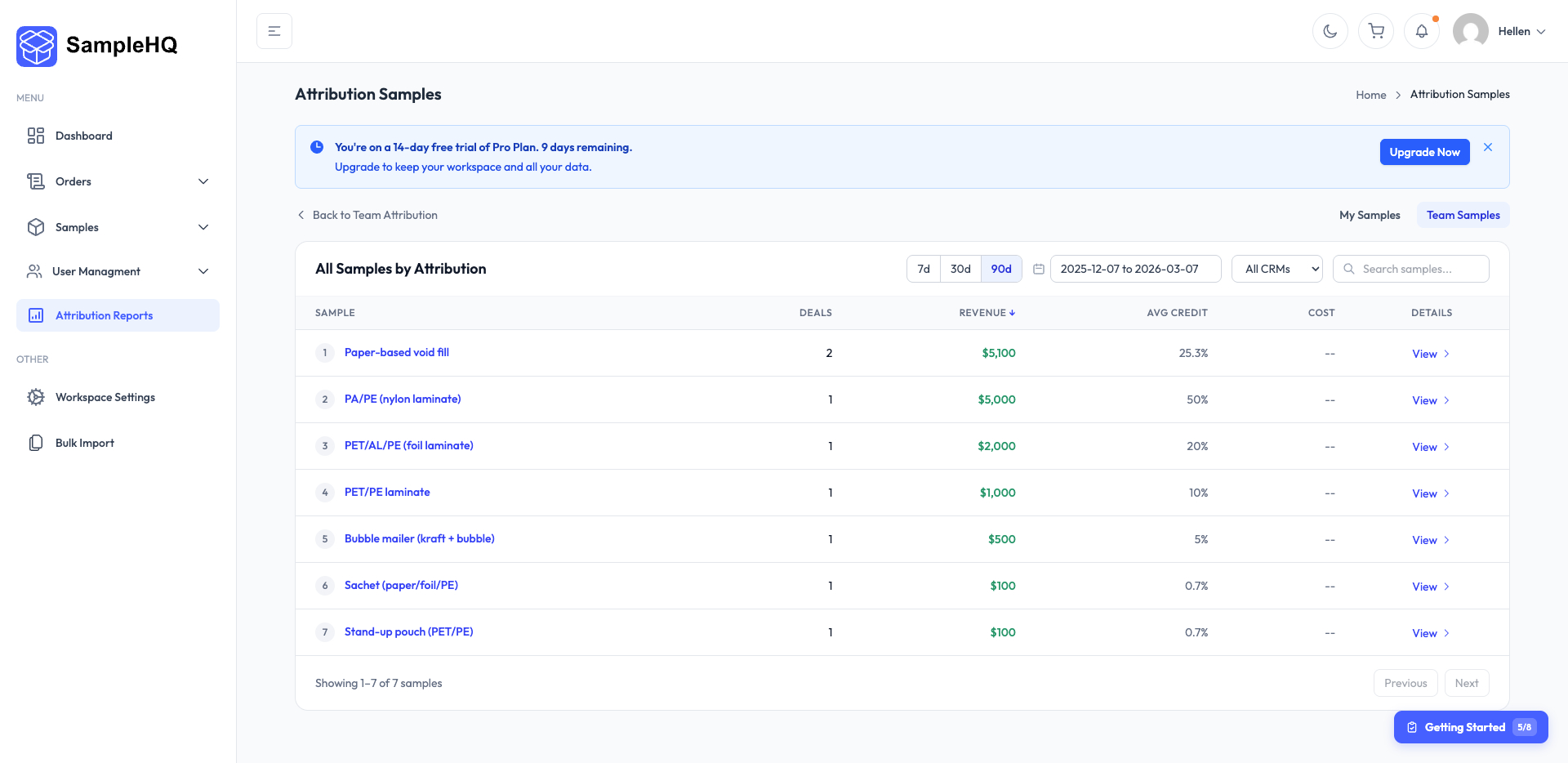
Top samples by influenced revenue
See which samples are most frequently linked to won business and which ones are associated with the highest influenced revenue.
Turn Sample Activity Into Commercial Insight
Connect sample orders to CRM data, track commercial influence across deals and customers, and give your team a clearer view of the business impact of sampling.