Skip to content

SampleHQ

  • SolutionsExpand
    • Overview
    • For Sales Teams
    • For Fulfillment Teams
  • Pricing
  • ResourcesExpand
    • Insights
    • Support Center
  • Contact Us

Sign In

Choose your preferred sign-in method below.

Or
Or
Forgot password?

Password must be at least 8 characters long.

Don't have an account? Start your free trial

SampleHQ

How can we help you?

Getting Started

  • What is revenue attribution?
  • Invite Team Members and Manage Roles in Sample HQ
  • Create and Set Up Your SampleHQ Account for Free Trial
  • What browsers and devices are supported?
  • Understanding SampleHQ Terms
  • How do I switch from trial to a paid plan?
  • How do I choose the right plan for my team?
  • How does the free trial work?

Samples

  • How to add, edit and delete sample categories?
  • What happens to samples when a category is deleted?
  • What are sample categories?
  • Can I rename, delete or rearrange sample fields?
  • Add And Edit Samples In SampleHQ
  • Configure Custom Sample Fields in Sample HQ
  • Bulk Import Samples Into Sample HQ Library
  • What kind of notifications will I receive in SampleHQ?
  • How do I export my sample data?
  • How do I know which samples were sent most often?

Sample Orders

  • How are samples orders processed and tracking numbers updated?
  • Create and Manage Samples Orders in SampleHQ
  • Can I import sample orders from another system?
  • What kind of notifications will I receive in SampleHQ?
  • How do I receive notifications about order updates?
  • How do I assign an order to a fulfillment user?
  • What are the order statuses and what do they mean?

Users & Permissions

  • How To Bulk Import Users To SampleHQ
  • Can I export a user list with roles and permissions?
  • Can I restrict access to certain customers or orders?
  • How do I transfer account ownership?
  • Invite Team Members and Manage Roles in Sample HQ
  • What roles exist in SampleHQ (Owner, Manager, Sales, Fulfillment)?

Settings & Customizations

  • Can I rename, delete or rearrange sample fields?
  • How do I configure email templates?
  • Configure Custom Sample Fields in Sample HQ

Account and Billing

  • Is there a limit on users or sample orders per plan?
  • What happens when my trial ends?
  • How do I cancel my subscription?
  • How do I upgrade or downgrade my plan?
  • How do I add or change a payment method?
  • What happens if my payment doesn’t go through?
  • How do I transfer account ownership?
  • How do I switch from trial to a paid plan?
View Categories
  • Support Center
  • Samples
  • Add And Edit Samples In SampleHQ

Add And Edit Samples In SampleHQ

This tutorial guides you through adding and editing samples in Sample HQ. You will learn how to create a new sample, and update existing samples efficiently.

  1. 1. Access Samples Menu

    On your Dashboard, click the Samples menu, then if you are the workspace owner or manager, you will be able to see and select the Add New Sample button to create a new sample.
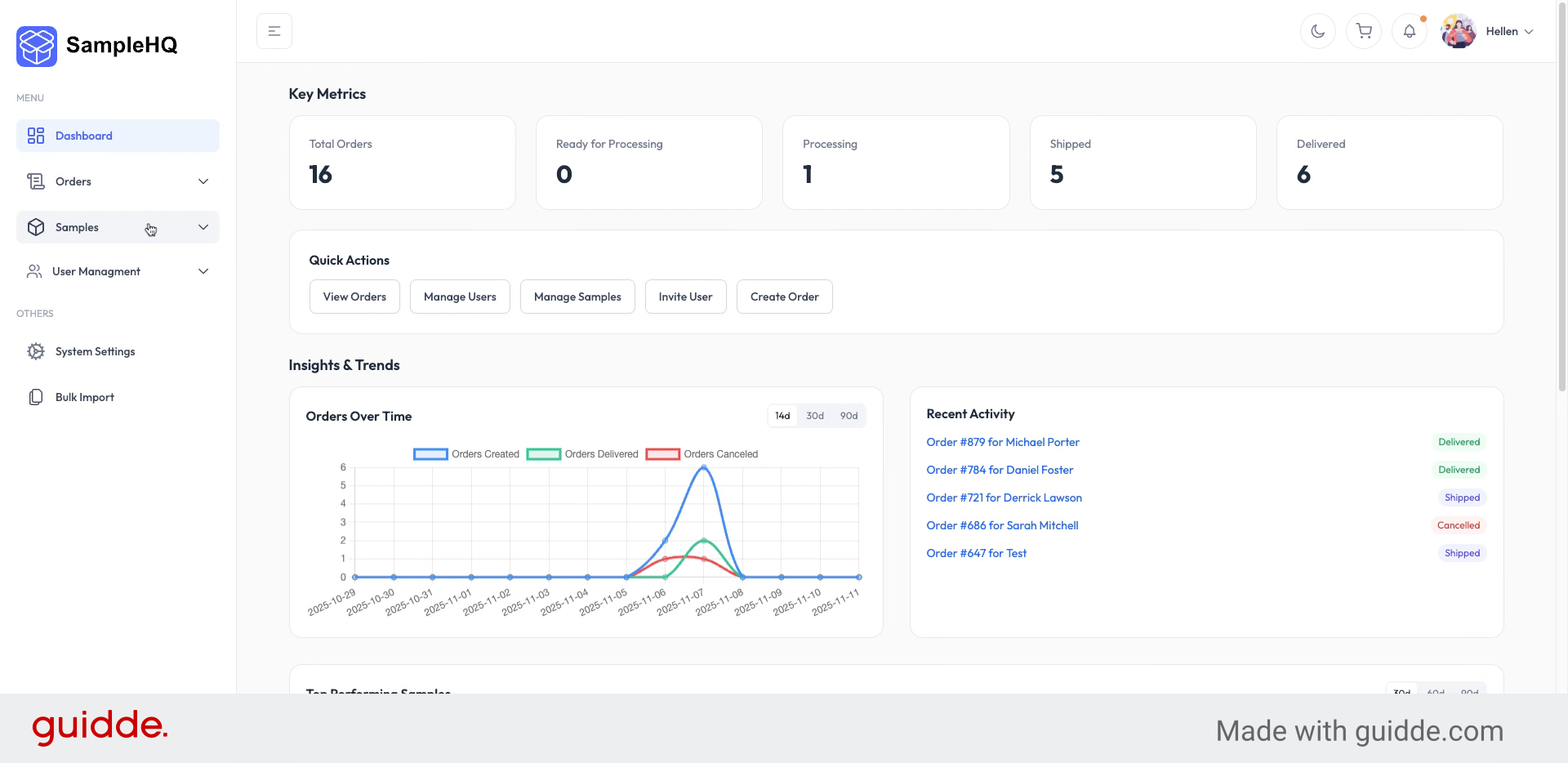
    Access Samples Menu
  2. 2. View Add New Sample Screen

    Here you will see the Add New Sample screen. First, enter the sample title to identify your new sample.
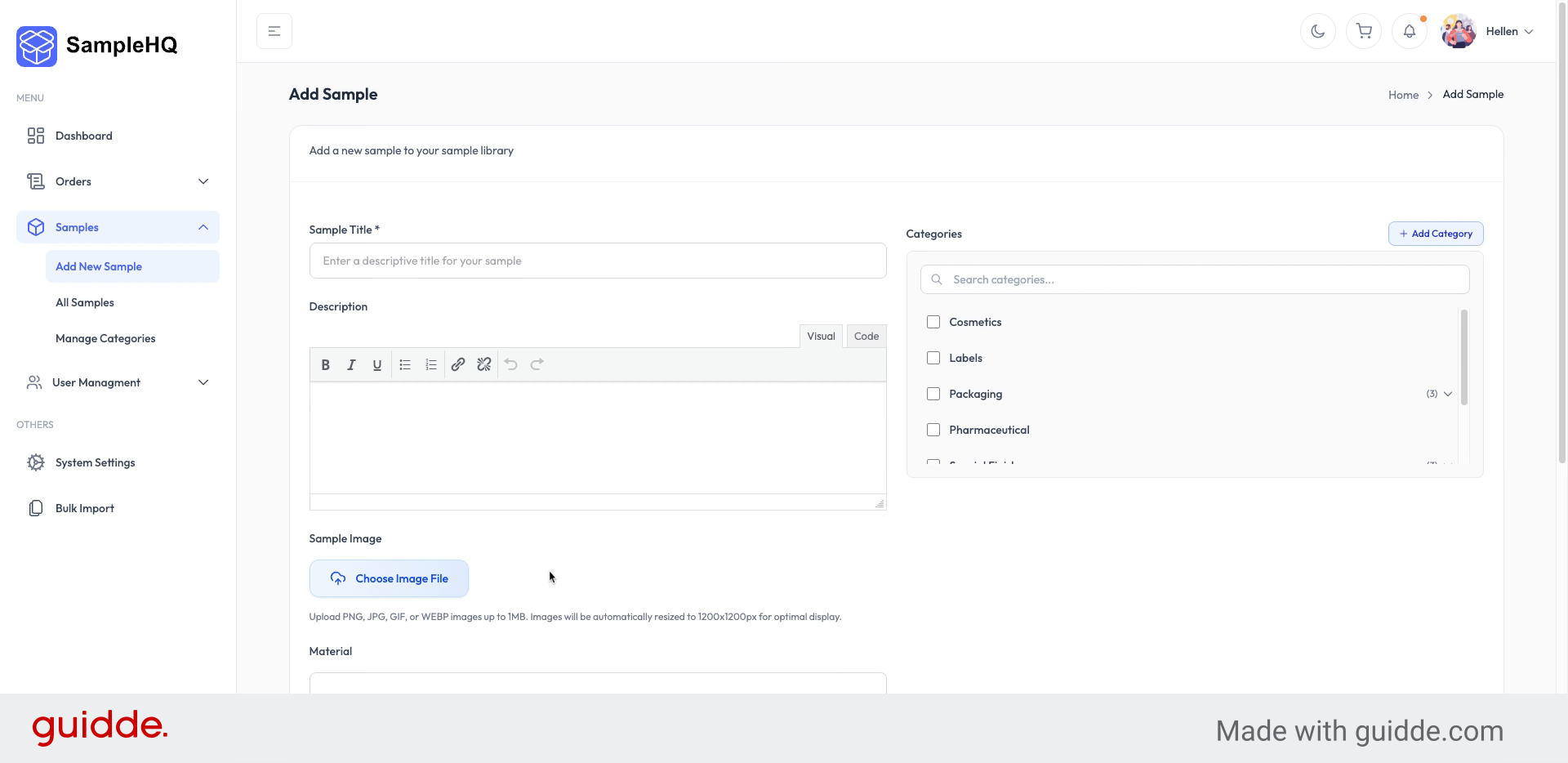
    View Add New Sample Screen
  3. 3. Select Sample Category

    Next, choose the category to which the sample belongs, to organize it appropriately.
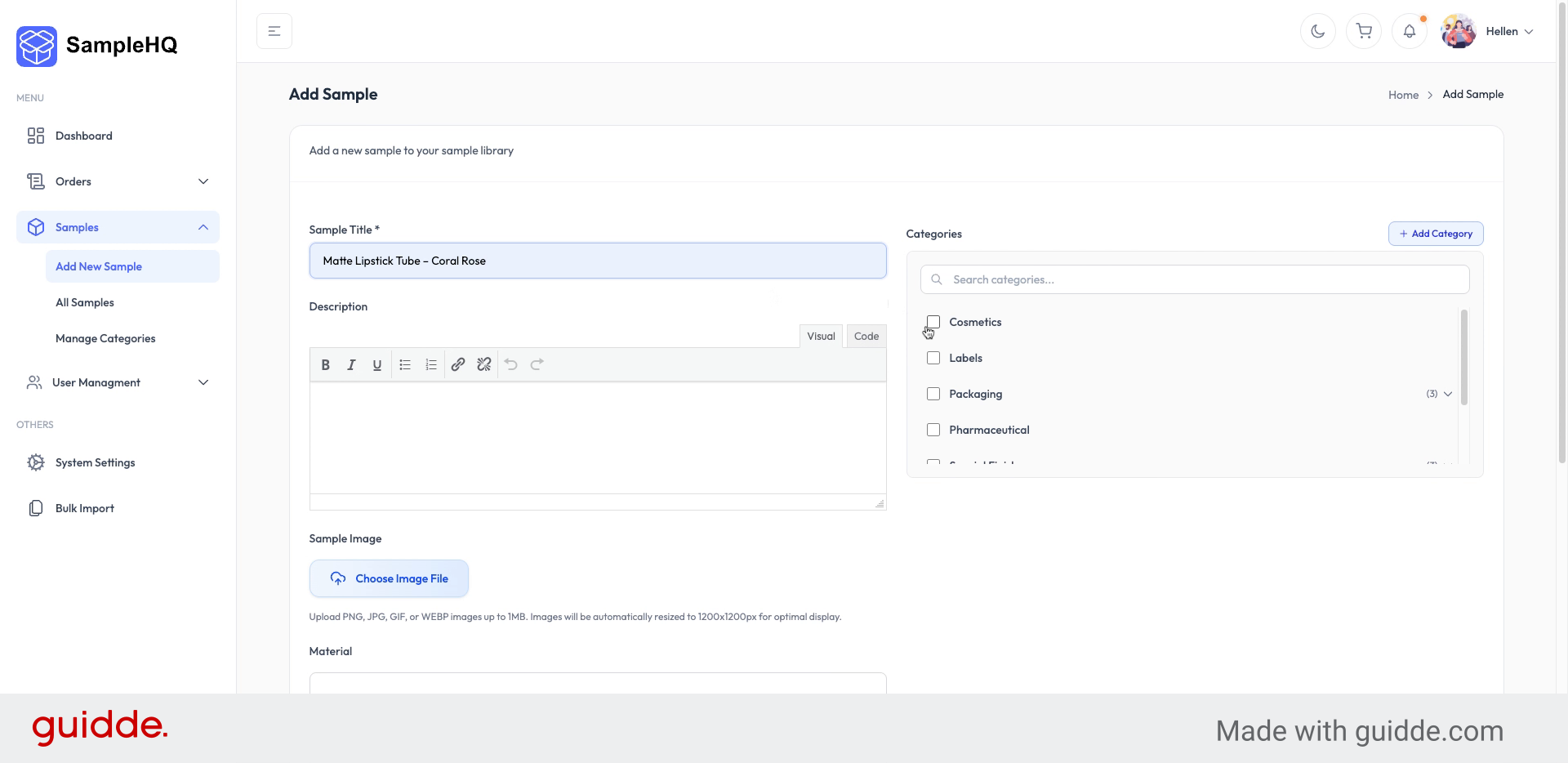
    Select Sample Category
  4. 4. Add Sample Description

    Add a detailed description to provide more information about the sample’s features and purpose.
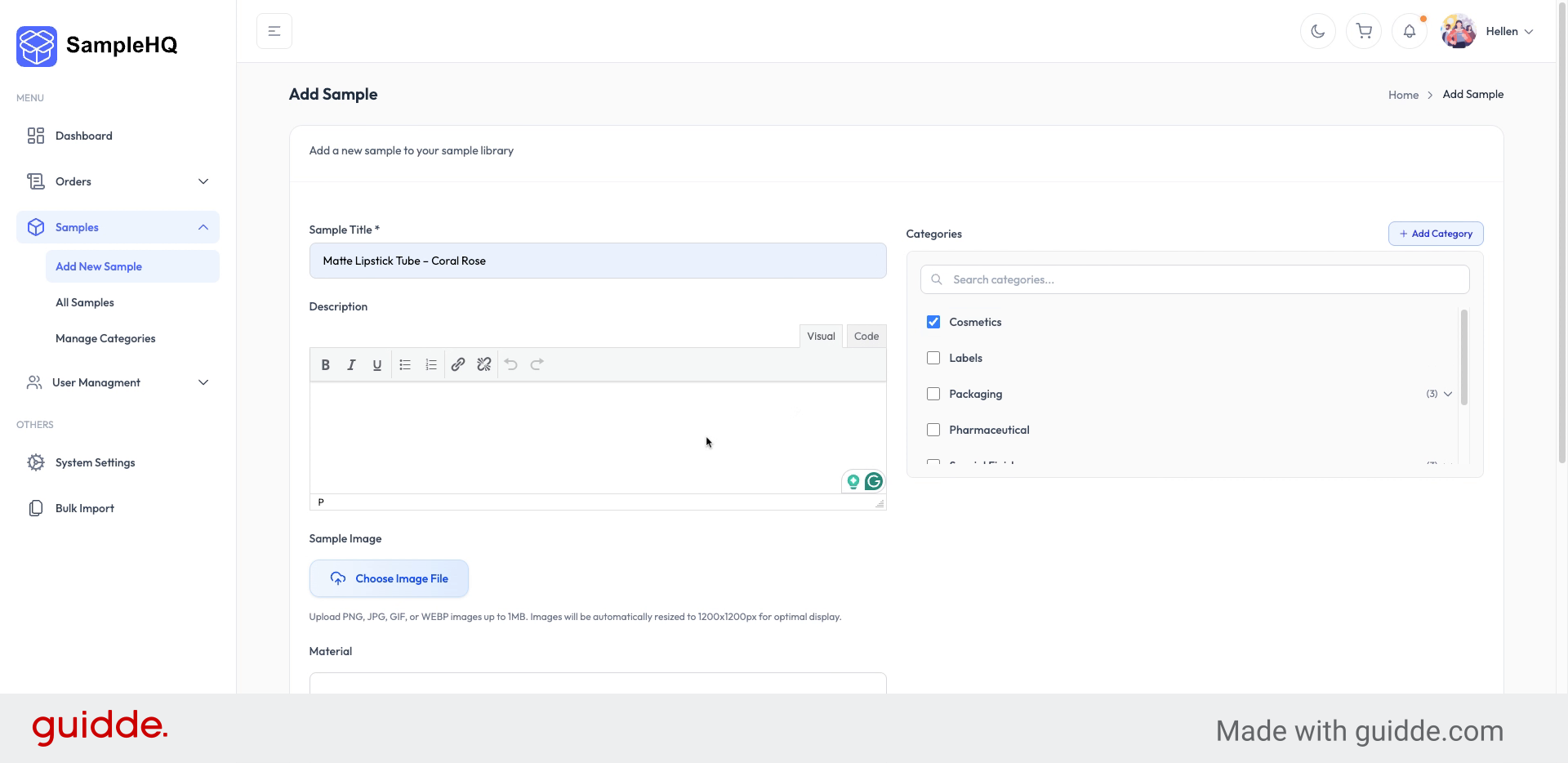
    Add Sample Description
  5. 5. Include Related Sample Details

    Add an image for the sample and include all other related details to complete the sample profile.
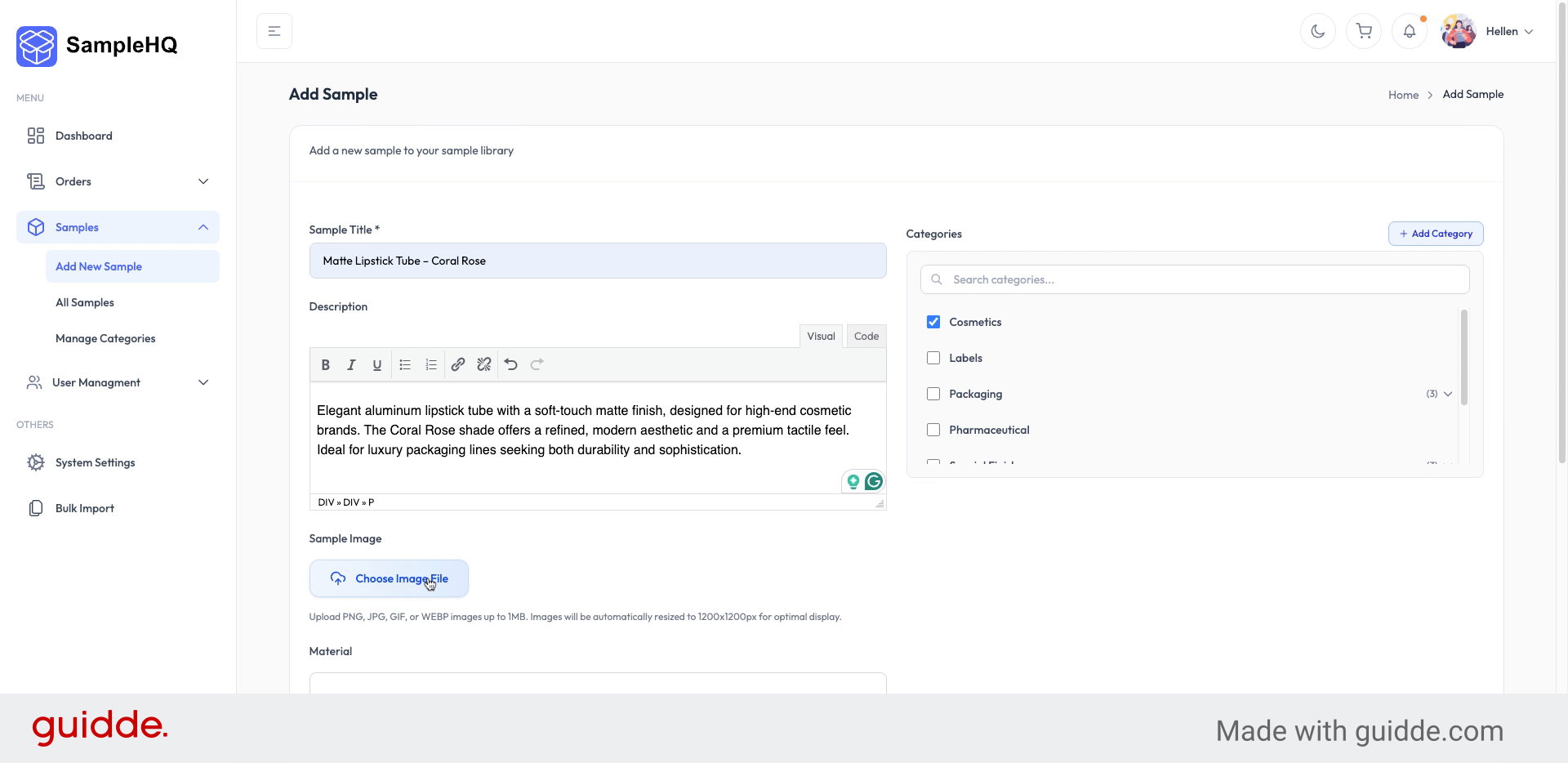
    Include Related Sample Details
  6. 6. Create New Sample

    When you are done, click the Create Sample button to save your new sample and add it to your sample library.
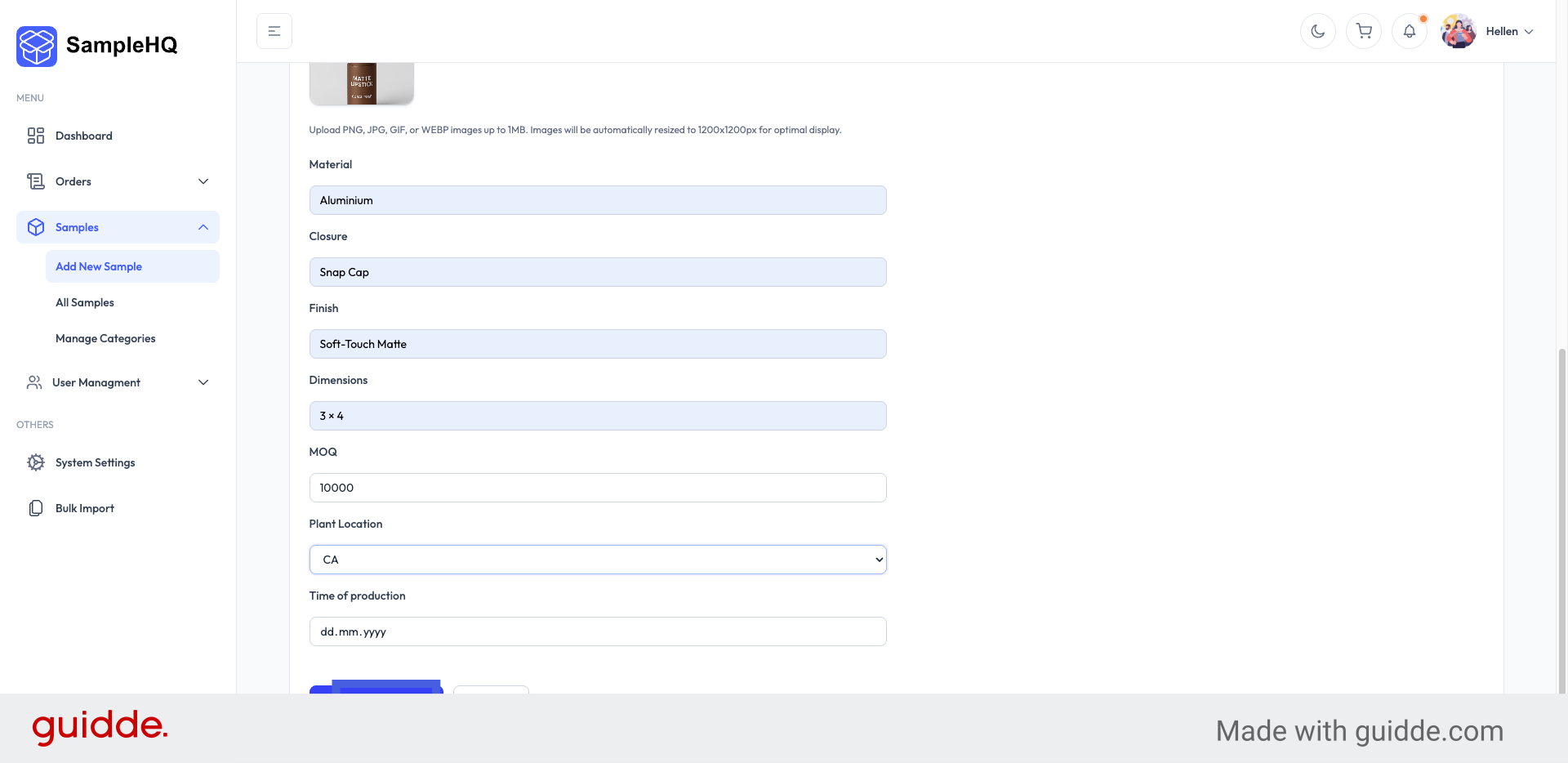
    Create New Sample
  7. 7. Confirm Sample Creation

    Now, your new sample is created. You can now view it with all its details.
    Confirm Sample Creation
  8. 8. Edit Existing Sample

    To make changes, click Edit Sample in the upper right corner, update the necessary information, and save your edits.
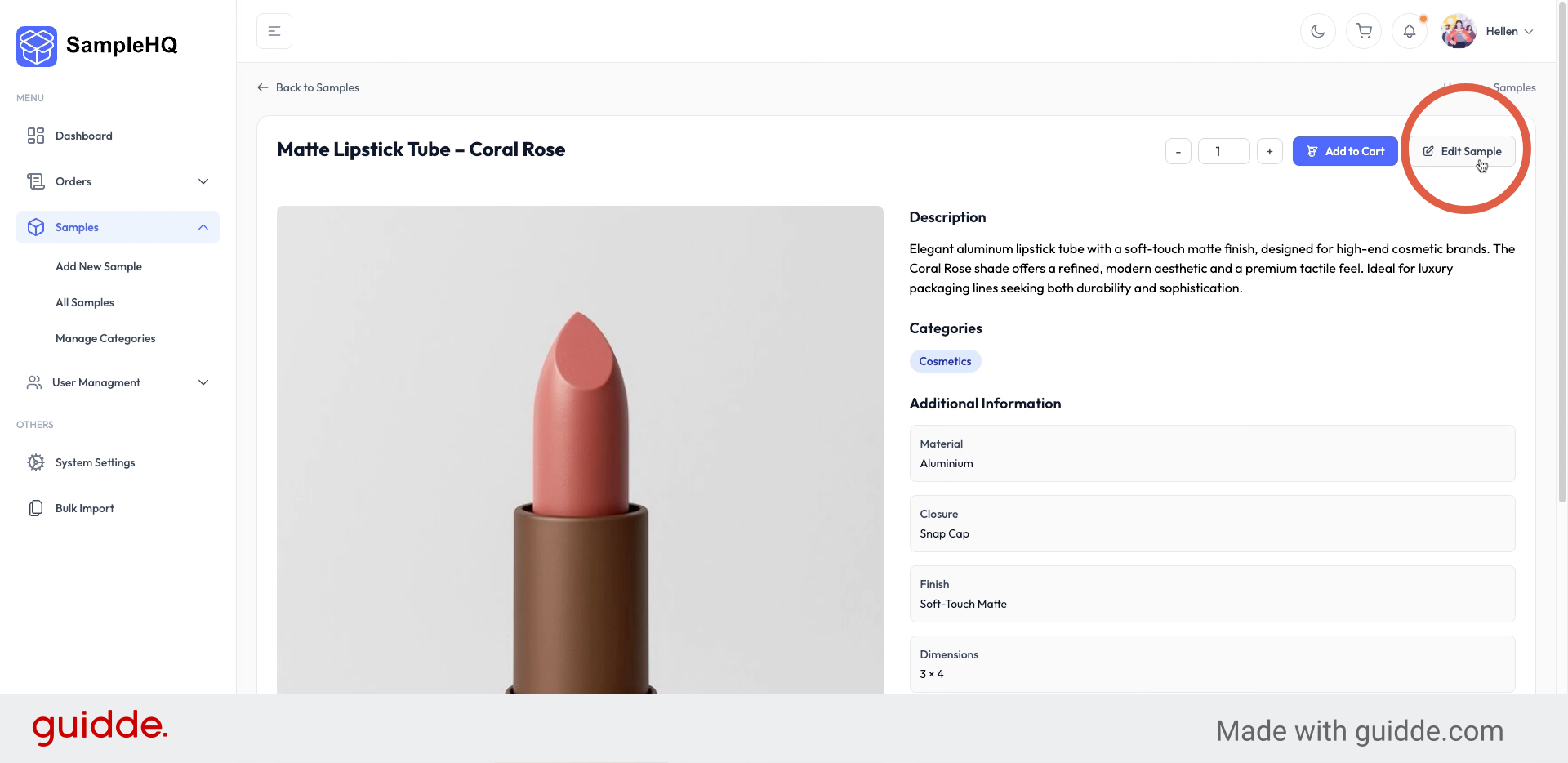
    Edit Existing Sample

You have successfully added and edited samples by entering details, selecting categories, and updating information.

Updated on November 13, 2025

What are your Feelings

  • Happy
  • Normal
  • Sad

Share This Article :

  • Facebook
  • X
  • LinkedIn
  • Pinterest

Smart sample management for packaging and labeling teams. Centralize requests, track shipments, and give sales and fulfillment full visibility.

Linkedin Linkedin

Platform

How it works
Pricing
Insights
Support Center
Contact Us

Join Our Newsletter

© 2026 SampleHQ. All rights reserved. | Privacy Policy | Terms of Use

Manage Consent
To provide the best experiences, we use technologies like cookies to store and/or access device information. Consenting to these technologies will allow us to process data such as browsing behavior or unique IDs on this site. Not consenting or withdrawing consent, may adversely affect certain features and functions.
Functional Always active
The technical storage or access is strictly necessary for the legitimate purpose of enabling the use of a specific service explicitly requested by the subscriber or user, or for the sole purpose of carrying out the transmission of a communication over an electronic communications network.
Preferences
The technical storage or access is necessary for the legitimate purpose of storing preferences that are not requested by the subscriber or user.
Statistics
The technical storage or access that is used exclusively for statistical purposes. The technical storage or access that is used exclusively for anonymous statistical purposes. Without a subpoena, voluntary compliance on the part of your Internet Service Provider, or additional records from a third party, information stored or retrieved for this purpose alone cannot usually be used to identify you.
Marketing
The technical storage or access is required to create user profiles to send advertising, or to track the user on a website or across several websites for similar marketing purposes.
  • Manage options
  • Manage services
  • Manage {vendor_count} vendors
  • Read more about these purposes
View preferences
  • {title}
  • {title}
  • {title}

Start Your Free Trial

No credit card required. Get started in seconds.

Starter 14-day free trial
Or

Check your email

We've sent a verification link to .

Click the link in the email to create your workspace. The link expires in 1 hour.

By signing up, you agree to our Terms of Service and Privacy Policy.

Already have an account? Sign in

    .samplehq.io

    Payment Successful!

    Setting up your new workspace...

    Creating your account
    Setting up user profile...
    Building your app
    Configuring workspace...
    Finalizing setup
    Almost ready...
    Processing your order...
    • Solutions
      • Overview
      • For Sales Teams
      • For Fulfillment Teams
    • Pricing
    • Resources
      • Insights
      • Support Center
    • Contact Us

    Sign In

    Choose your preferred sign-in method below.

    Or
    Or
    Forgot password?

    Password must be at least 8 characters long.

    Don't have an account? Start your free trial